SharePoint CRUD REST Assignment
Search for SharePoint Online Client Components SDK

Download SharePoint Online Client Components SDK

Launch PowerShell ISE as Administrator

Run the code from here

Run the code

Open a new window

Store your work by running Start-Transcript and note the location

Type your code based on the exercise with your SharePoint URL and Run the selected code using F8
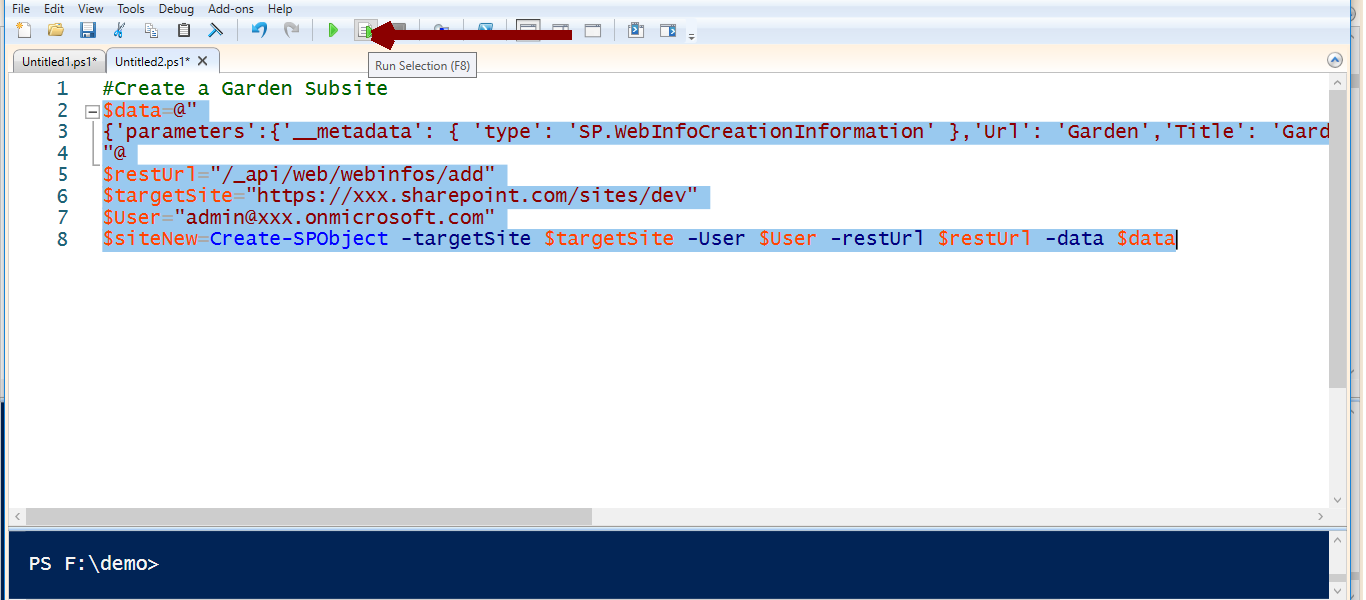
Create a Garden subsite from code

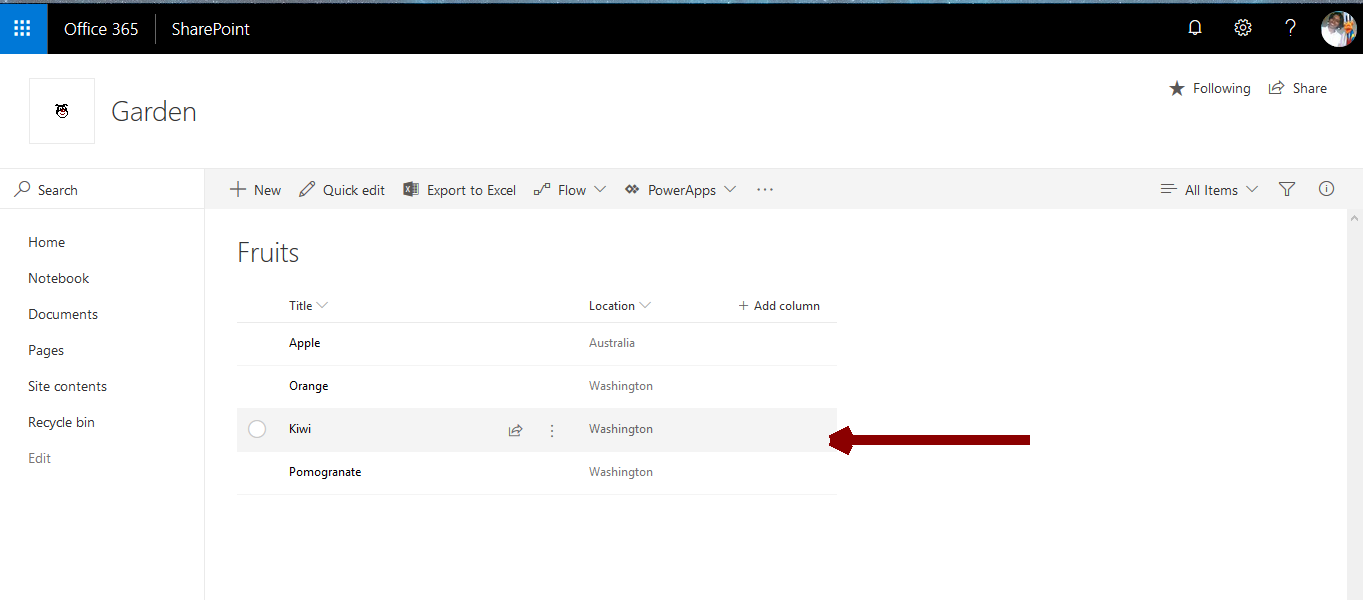
Create a List named Fruits

Create a column named Location

Add 5 items to the Fruits list

Read the Fruit Details

Update the Place for Apple from Washington to Australia
Create a Garden subsite from code.
$data=@"
{'parameters':{'__metadata': { 'type': 'SP.WebInfoCreationInformation' },'Url': 'Garden','Title': 'Garden', 'Description': 'Garden web','Language': 1033,'WebTemplate': 'sts','UseUniquePermissions': false}}
"@
$restUrl="/_api/web/webinfos/add"
$targetSite="https://xxx.sharepoint.com/sites/dev"
$User="admin@xxx.onmicrosoft.com"
$siteNew=Create-SPObject -targetSite $targetSite -User $User -restUrl $restUrl -data $data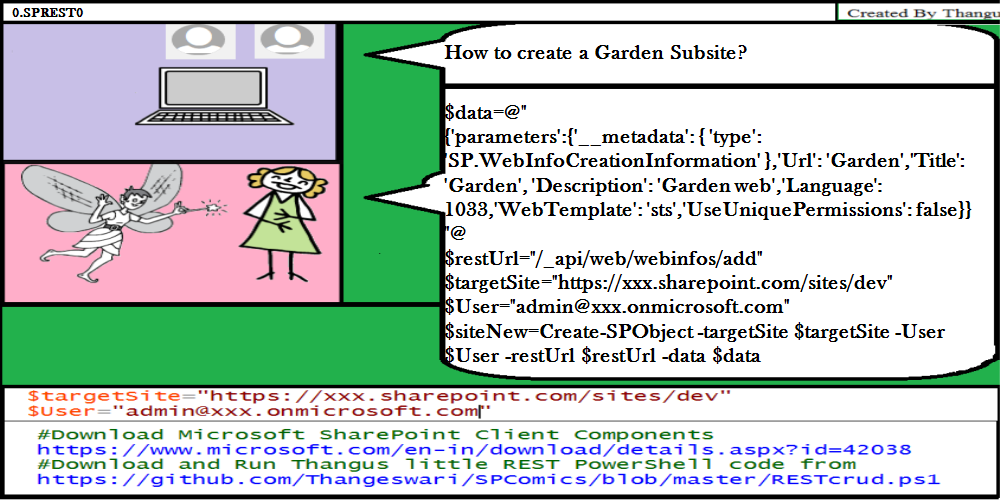
Create a List named Fruits.
$data=@"
{ '__metadata': { 'type': 'SP.List' }, 'AllowContentTypes': true, 'BaseTemplate': 100,
'ContentTypesEnabled': true, 'Description': 'My Fruits List', 'Title': 'Fruits' }
"@
$targetSite="https://xxx.sharepoint.com/sites/dev/Garden"
$User="admin@xxx.onmicrosoft.com"
$restUrl="/_api/web/lists"
$listNew=Create-SPObject -targetSite $targetSite -User $User -restUrl $restUrl -data $data
Create a column named Location.
$data=@"
{ '__metadata': { 'type': 'SP.Field' }, 'Title': 'Location', 'FieldTypeKind': 2 }
"@
$listName="Fruits"
$restUrl="/_api/web/lists/getbytitle('$($listName)')/fields"
$listFieldNew=Create-SPObject -targetSite $targetSite -User $User -restUrl $restUrl -data $data
Add 5 items to the Fruits list.
$items="Apple","Orange","Mango","Kiwi","Pomogranate"
$location="Washington"
$listName="Fruits"
$restUrl="/_api/web/lists/GetByTitle('"+$listName+"')/items"
foreach ($item in $items)
{$data=@"
{ '__metadata': { 'type': 'SP.Data.$($listName)ListItem' }, 'Title': '$($item)','Location':'$($location)' }
"@
$listItemNew=Create-SPObject -targetSite $targetSite -User $User -restUrl $restUrl -data $data
}
Read the Fruit Details.
$restUrl="/_api/web/lists/getbytitle('$($listName)')/items"
$listsFruits=Read-SPObject -targetSite $targetSite -User $User -restUrl $restUrl
$results = $listsFruits.ToString().Replace("ID", "_ID") | ConvertFrom-Json
$results.d.results|select Title,Location,Id
Find Apple.
$restUrl="/_api/web/lists/getbytitle('$($listName)')/items?$filter=Title eq 'Apple'"
$listsFruits=Read-SPObject -targetSite $targetSite -User $User -restUrl $restUrl
$results = $listsFruits.ToString().Replace("ID", "_ID") | ConvertFrom-Json
$results.d.results|select Title,Location,Id
$etag=$results.d.results[0].__metadata.etag
$listItemID=$results.d.results[0].id
Update the Place for Apple from Washington to Australia.
$UpdatedValue="Australia"
$restUrl="/_api/web/lists/GetByTitle('"+$listName+"')/items("+$listItemID+")"
$data="{'__metadata': { 'type': 'SP.Data.$($listName)ListItem' }, 'Location': '$($UpdatedValue)'}"
$updatedItem=Update-SPObject -targetSite $targetSite -User $User -restUrl $restUrl -data $data -etag $etag
Find Mango.
$restUrl="/_api/web/lists/getbytitle('$($listName)')/items?$filter=Title eq 'Mango'"
$listsFruits=Read-SPObject -targetSite $targetSite -User $User -restUrl $restUrl
$results = $listsFruits.ToString().Replace("ID", "_ID") | ConvertFrom-Json
$results.d.results|select Title,Location,Id
$etag=$results.d.results[0].__metadata.etag
$deletelistItemID=$results.d.results[0].id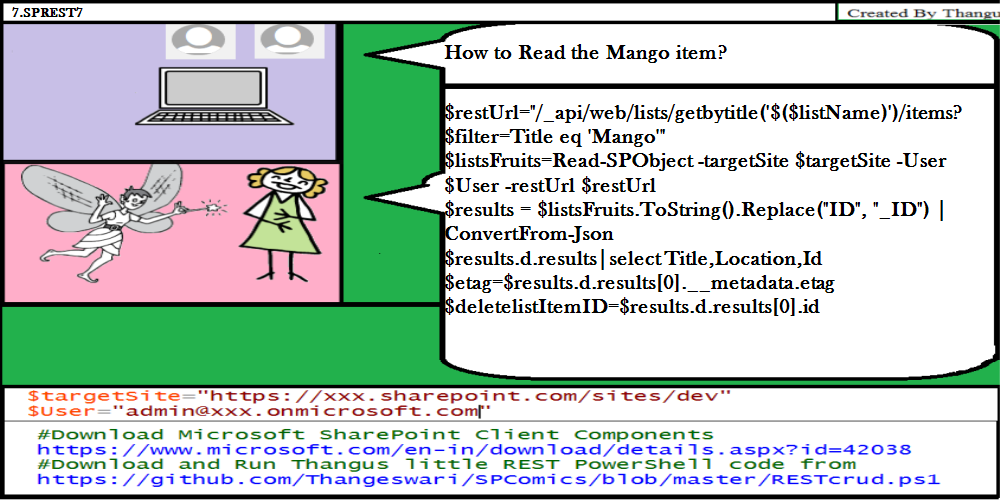
Delete fruit Mango.
$restUrl="/_api/web/lists/GetByTitle('"+$listName+"')/items("+$deletelistItemID+")"
$listItemdeleted=Delete-SPObject -targetSite $targetSite -User $User -restUrl $restUrl
Have you come here after reading/practising all the Comics?May your efforts and knowledge be rewarded!
Click Here to Send Mail to spthangu@gmail.com with your Name to get your certificate!
Sample Certificate
